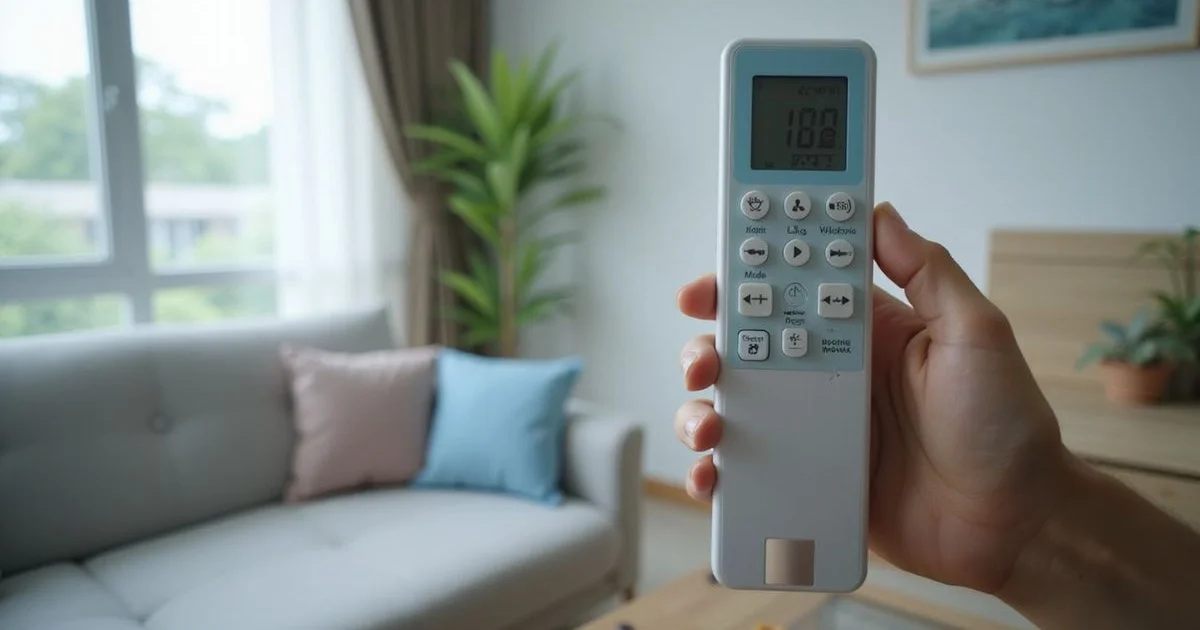
Every aircon remote control is covered in symbols and icons that can look confusing at first glance. We have found that decoding these buttons is the cheapest way to optimise a cooling system. Most homeowners simply press the standard cooling button and ignore 80 percent of the unit’s capabilities.
This oversight directly leads to higher electricity bills.
Since starting with just five people back in 2003, the company has grown to 26 dedicated experts committed to keeping Singapore cool. We frequently hear from customers who struggle with performance issues simply because they use the wrong settings. A quick look at your display can drastically improve comfort and reduce your monthly expenses.
Finding the correct function prevents the compressor from overworking. Our team wants to help you master your specific unit using the original Billy Aircon resources. This guide on Aircon Remote Control Symbols Explained (With Pictures) will walk through the exact meaning of each icon.
The following sections break down the main functions and show you how to apply them for maximum efficiency.
The Main Mode Symbols
Snowflake: Cool Mode
The snowflake icon activates cooling mode, which is the primary setting most people in Singapore use. In this mode, the aircon actively cools the room to the temperature you select. The National Environment Agency (NEA) officially recommends setting your temperature to 25°C for the best balance of comfort and energy efficiency. Lowering the temperature to 18°C does not cool the room faster, but it forces the compressor to overwork and short-cycle.
Water Droplet: Dry Mode
The water droplet symbol activates dry or dehumidifier mode. This function is particularly useful in Singapore, where average humidity levels frequently hover between 75 and 85 percent, especially during the year-end monsoon season. In dry mode, the aircon focuses on removing moisture from the air rather than aggressively chilling the room. The system runs the compressor at lower speeds to extract condensation. It uses significantly less energy than standard cooling and is ideal for rainy days when the air feels sticky.
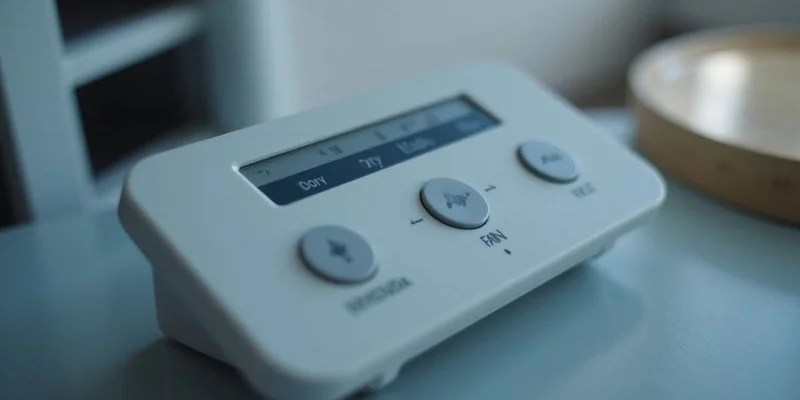
Fan Icon: Fan Mode
The fan symbol runs only the indoor unit’s blower without engaging the outdoor compressor. No active cooling or heating occurs during this process. This mode simply circulates air in the room and uses a fraction of the electricity required for standard operation. It works well when you want basic air circulation on a cooler evening.
Sun Icon: Heat Mode
The sun symbol activates heating mode. While almost never needed in Singapore’s tropical climate, universal remotes and some higher-end systems still include this function. The system reverses the refrigeration cycle to pump warm air into the room. Selecting this by accident will blow hot air and cause unnecessary alarm.
Triangle or Auto: Auto Mode
A triangle or the word “AUTO” lets the aircon decide whether to cool, fan, or dehumidify based on the current room temperature. The unit continuously adjusts its operation to maintain your chosen set point. This is a convenient option if you want to avoid micromanaging the climate.
Fan Speed Symbols
Single Bar to Three Bars
Most remotes show fan speed as progressive bars or signal lines. One bar means low speed, two bars mean medium, and three bars indicate high speed. Higher fan settings move more air but create significantly more noise. Running a blower at maximum speed can push the indoor noise level past 40 decibels (dB), which might disrupt light sleepers.
Auto Fan
An “A” next to the fan icon or the word “AUTO” on the speed setting lets the system automatically adjust based on the current room climate. When there is a large gap between the room temperature and your target setting, the fan runs at high speed. As the room cools down to match the target, the fan automatically slows to a quiet hum.
Quiet or Sleep Mode
A crescent moon symbol or the word “QUIET” reduces fan operation to the absolute lowest setting. This profile is explicitly designed for sleeping and minimises noise from the indoor blower. Many units, like the Daikin iSmile series, will automatically raise the set temperature by one degree after the first hour of sleep. This minor adjustment prevents overcooling and aligns with the natural drop in your body’s core temperature overnight.
Swing and Airflow Symbols
Up-Down Arrows: Vertical Swing
These arrows control the vertical movement of the aircon louvers. You can set the flaps to swing continuously or lock them at a specific angle. For the most effective cooling in a bedroom, point the louvers slightly upward so the cold air arcs across the ceiling before falling naturally. This leverages the Coanda effect, a fluid dynamics principle used by top brands to distribute air evenly without blowing directly onto occupants. Never force the louvers with your hands, as this will easily strip the fragile internal stepper motor gears.
Left-Right Arrows: Horizontal Swing
Some modern units feature dedicated horizontal swing control. This function moves the internal vertical louvers from side to side to distribute air across wider areas. It proves highly useful in larger HDB living rooms or open-plan condo layouts where cold air needs to reach corners.
Timer and Scheduling Symbols
Clock Icon: Timer
The clock symbol lets you set the aircon to turn on or off after a specified countdown. Most remote models allow you to adjust timers in 30-minute increments. Programming the system to shut off two hours after you fall asleep saves electricity without sacrificing your initial comfort.
On Timer and Off Timer
Some controllers feature separate on and off timer buttons for advanced scheduling. You can combine these to create a daily routine. For example, you might set the unit to turn on 30 minutes before you arrive home from work and shut off at midnight when the ambient outdoor temperature drops.
Special Function Symbols
Turbo or Powerful Mode
A lightning bolt or the word “TURBO” activates the absolute maximum cooling power. The compressor and fan will run at 100 percent capacity to chill the room instantly. This function usually times out automatically after 20 to 30 minutes to protect the compressor from overheating. It serves as a great tool when you first return to an HDB flat that has been absorbing the afternoon sun.
ECO Mode
A leaf symbol or “ECO” label activates the unit’s energy-saving profile. The aircon limits the maximum compressor frequency and slightly lowers the fan speed to reduce overall electricity consumption. Cooling will feel slightly less aggressive, but the savings add up quickly. With the SP Group electricity tariff set at 26.71 cents per kWh in the first quarter of 2026, running ECO mode daily can visibly lower your utility bill.
Self-Clean or Clean Mode
Modern wall-mounted units often include a self-cleaning function indicated by a sparkle or brush icon. This process runs the indoor blower briefly after the cooling cycle ends to dry the evaporator coil and prevent internal mould growth. While it helps maintain air quality, it does not replace the need for professional aircon servicing.
Filter Reset Indicator
A small icon resembling a grid or the letters “FLT” reminds you to wash your primary air filters. Most operating systems trigger this warning automatically after 200 to 250 hours of active use. Press and hold the reset button for three seconds to clear the counter after you have completed the maintenance.
WiFi Symbol
Newer models display a WiFi icon to show active connections to smart home applications. This wireless link allows remote control via your smartphone, detailed scheduling, and real-time energy monitoring.
Brand-Specific Symbols
Daikin
Daikin remotes often feature a “Comfort” mode that combines cooling and dehumidification for optimal indoor climates. Look for the “CMFT” label on the display. Their signature “Intelligent Eye” feature is shown as a small eye icon. This uses an infrared sensor to detect human movement in the room. If the space is empty for 20 minutes, the system automatically adjusts the temperature by two degrees to save power.
Mitsubishi
Mitsubishi remote controllers usually include an “i-Save” button that instantly recalls your preferred temperature and fan settings. Their “Natural Flow” function actively varies the airflow volume and direction to mimic the feeling of natural outdoor wind patterns.
Panasonic
Panasonic systems highlight their “nanoe” or “nanoe-X” technology with a distinct atom-like icon. Activating this function releases microscopic hydroxyl radicals into the room to actively deodorise the air and inhibit the growth of bacteria and mould on surfaces.
Tips for Using Your Remote Effectively
| Best Practice | Why It Matters |
|---|---|
| Use dry mode on humid days | It consumes less electricity than cool mode and manages Singapore’s 80 percent humidity effectively. |
| Set fan to auto | Let the system manage fan speed to optimise efficiency and reduce unnecessary noise. |
| Use the sleep timer | Avoid running the compressor all night to lower your utility costs significantly. |
| Angle louvers correctly | Point them slightly upward to leverage ceiling airflow instead of blowing cold air directly on you. |
| Replace batteries yearly | Old alkaline batteries can leak acid or cause weak infrared signals that mimic a broken unit. |
When Your Remote Stops Working
If your controller remains completely unresponsive despite installing fresh batteries, the issue might lie within the indoor unit itself. A faulty receiver board inside the wall unit will fail to process the infrared signals. Many owners mistakenly buy a new remote before checking the main unit.
We can run a diagnostic test to confirm if the receiver board has failed. Technical faults require proper tools to isolate the broken component. The technicians at Billy Aircon can diagnose and fix receiver issues promptly as part of our repair services.
Need Help With Your Aircon?
If you remain unsure about which settings to use or if your system refuses to respond properly, reaching out for professional advice is the safest option. Faulty electronics require proper testing to avoid causing further damage to the motherboard.
We have seen every type of remote error over our decades of service. Diagnosing the exact fault quickly saves you money. Professional testing prevents unnecessary parts replacement.
Our experts carry the specialised equipment needed to isolate the problem fast. You will receive a solid 90-day warranty on all repairs across Singapore. Contacting us via WhatsApp at +65 9456 0875 ensures a rapid response.
We are ready to get your system functioning perfectly again.